
One answer from everything F1rst in Service knows
How Chipp built F1RST Key for F1rst in Service: advisors ask a question in plain words and get one checked answer, in seconds, from F1S’s partner site and from what advisors share in its WhatsApp groups. Every fact comes with its source.
- One checked answer to a plain-words question, with a source next to every fact.
- Labels come from F1S, never from the model. The No Sell list is checked on every answer.
- Cleared for the prototype phase by F1S’s compliance lead, after a full review.
To answer each of the ten summit demo questions, live
Partner pages on F11, read and searchable
From the agreed design to a demo-ready build
- F1RST Key
- Chipp agents
- F11 on SharePoint
- Microsoft Graph
- WhatsApp groups
- No Sell list
The challenge
The answers existed, but nobody could find them fast. F1S advisors do better, and their clients do better, when they book the partners F1S has negotiated with. But the knowledge they need lived in two places that are hard to search. An advisor with a client waiting (“Who reps Soneva?”, “What do we earn at the Rosewood London?”) had to click through pages, scroll back through the groups, or ask the group again.
Where the knowledge lived
- F11, the partner site
Over 2,200 SharePoint pages, about 2,000 PDFs, 54 Excel workbooks and a set of lists. Preferred partners are marked in at least six different ways: under a heading on a country page, in a partner’s name, by colour on the airlines page, or in a spreadsheet.
- The WhatsApp groups
Busy channels (Global, Mexico in Spanish, and Europe) where advisors share first-hand tips, contacts and warnings that never reach F11.
- The answers had to be right
A wrong “preferred” label, or a supplier on F1S’s No Sell list, costs F1S money and costs advisors their clients’ trust.
- And there was a date
A working prototype for F1S’s leadership summit, about three weeks out.
What we built
One question, one checked answer. An advisor types a question the way they would ask a colleague, or taps a sample question. F1RST Key is built and hosted on Chipp.
- 1PlanA small, fast model
Is it about recent days? It writes up to six search phrases and adds the country of a city, so “Madrid” finds Spain’s DMC page.
- 2SearchBoth sources at once
F11 rows, partner pages, page and PDF text, searched by words and by meaning, plus WhatsApp messages with their threads.
- 3DraftA larger model
It writes a short answer in plain words, with a source next to every fact, and uses the earlier question for a follow-up.
- 4CheckCode, not the model
A fact with no real source is dropped. Labels come from F1S’s own lists, and the No Sell list is applied before anything is published.
What the advisor gets back
- 01A short answer, in plain words, first
- 02On F11: every partner, page, spreadsheet row or PDF the answer relies on, labelled F1S Preferred or Virtuoso Preferred where F11 says so, and one tap from F11
- 03What advisors said: the WhatsApp messages behind the answer, in full, with who posted them and when. Spanish messages show in English, with the original underneath
- 04Follow-up questions that remember who “her” is, and a thumbs up or down with a reason
Built around the advisor
- Follow-up questions
Ask “Do you have an Avis contact?”, then “What is her email?”, and F1RST Key knows who “her” is.
- Feedback with a reason
Thumbs up or down. Data problems go to F1S’s partnerships team, and build problems go to the Chipp team.
- Invite-only sign-in
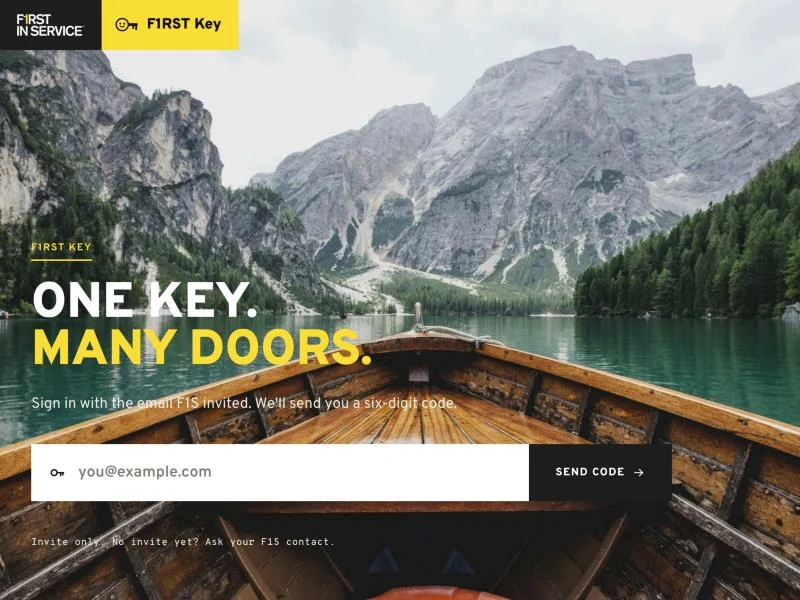
Advisors sign in with the email F1S invited and a six-digit code.
- Built for phones
A layout for the device most advisors use.
- AI disclaimer in F1S’s own words
The wording is F1S’s, not ours.
- A 90-second Start here video
It opens on an advisor’s first visit, in F1S’s own voice.
- An admin area
Every question asked, flagged answers, testers, the health of each source, and a test bench.
- The same engagement also covered
A WhatsApp Monitor that emails F1S a daily brief from the groups, and a contact check that compares names in the groups with F1S’s contacts database, by live lookup only.
Sources, connected read-only
- F11 on SharePoint
- Read only, one site, through Microsoft Graph. A model reads each page the way an advisor would: which partners it lists, under which heading, with which contacts and conditions.
- WhatsApp groups
- Read only. Global, Mexico and Europe, with Spanish read in English.
- F1RST Key index
- Partners and contacts, F1RST and Virtuoso markings, page and PDF text, split into passages and searched by words and by meaning, so “Madrid and Barcelona” still finds the Spain DMC page.
- The No Sell list
- Checked on every answer. If it cannot load, no answer is published.
Inside the app
Getting the answers right
An answer is only useful if an advisor can trust it in front of a client. Four rules.
- 01Labels come from F1S, never from the model
“F1S Preferred” shows only where F1S’s own lists, or an F1RST PREFERRED heading on F11, say so. When we found an archive folder and two conflicting workbooks that could badge a hotel, we stopped them labelling until F1S confirms which is current.
- 02The No Sell list is checked on every answer
If the list cannot load, no answer is published. A No Sell supplier is never recommended, even when advisors praise it in the groups.
- 03Every fact carries its source
Message text, senders and dates come from the stored messages, and F11 rows from the index, never from the model’s memory. Each F11 row opens the page or file it came from.
- 04A test bench, run after every change
19 real questions from F1S and from the channels. On the first run, by our own scoring, 5 were right and 7 partly right. By the sixth run, the same day, 14 were right and none partly. By the eighth, 18 of 19 answered, and the last was a hotel F11 has no page for.
Testing with F1S
F1S’s team tested along the way, often by recording a short walkthrough of what they saw. Each round of notes was fixed and live the same day.
Working through compliance
A fair question, answered plainly. Halfway through, F1S’s compliance lead pointed out that the prototype stored F1S content in a vendor-managed database, while the design first described to them kept no data at all. That needed a fresh review before advisors could use it.
We put advisor testing on hold and prepared a full review package: the architecture and data flow, an inventory of everything stored and why, retention, security controls, subprocessors, and the gaps we had not closed yet, stated plainly. Then we met the compliance lead to go through it.
On 19 October the prototype phase was cleared, with an agreed path before production: sign-in with F1S’s own Microsoft accounts, automatic retention and deletion, storing less by linking to SharePoint, and in time a direct F1S API.
Results
F1RST Key was ready for F1S’s leadership summit, and cleared by F1S’s compliance lead for the prototype phase.
- 2 days
From the connection to F11 going live to the first live answers (7 to 9 October 2026).
- About 3 weeks
From the agreed design to a demo-ready build for F1S’s leadership summit.
- 637 of 642 pages
In F11’s menu read (the other 5 are broken menu links), 2,242 pages in all.
- About 17,000 rows
Of spreadsheet data across 50 workbooks, plus 437 PDFs read into 3,416 searchable passages.
- 1,500+ messages
Advisor messages from the WhatsApp groups, with Spanish read in English.
- 11 to 20 seconds
To answer each of the ten summit demo questions, live.
- 121 broken links
Found on F11’s pages, pointing to 80 missing files, listed for F1S with what to do about each.
Before and after
Make it one answer.

What's next
F1S wants F1RST Key in front of its wider advisor community from November. The next phase, to be scoped with F1S’s technology and compliance leads, is likely to cover:
- 01Sign-in with F1S’s own Microsoft accounts
In place of invite-only email codes.
- 02Automatic retention and deletion
And storing less, by linking to SharePoint.
- 03A direct F1S API
In place of reading the site.
- 04More PDFs
The scanned PDFs, and the rest of F11’s PDFs once F1S decides which ones advisors may see.
- 05“Partners to vet” in the daily brief
Every supplier advisors mention in the WhatsApp brief, checked against F11.
Knowledge your team can’t find fast?
Book 20 minutes. We build your first version with you, live, on your data.