Know what needs you before the day starts.
It opens with the to-dos found in your email, most urgent first, then your calendar. You get it by email and as a push notification in the iPhone app.

NewThe official Chipp iPhone app
Meet the chief of staff in the new Chipp iPhone app. It reads your calendar and email, sends you an update every morning and evening, and takes care of scheduling and replies. You stay in charge.
Free to start. We email you a code, so there is no password.
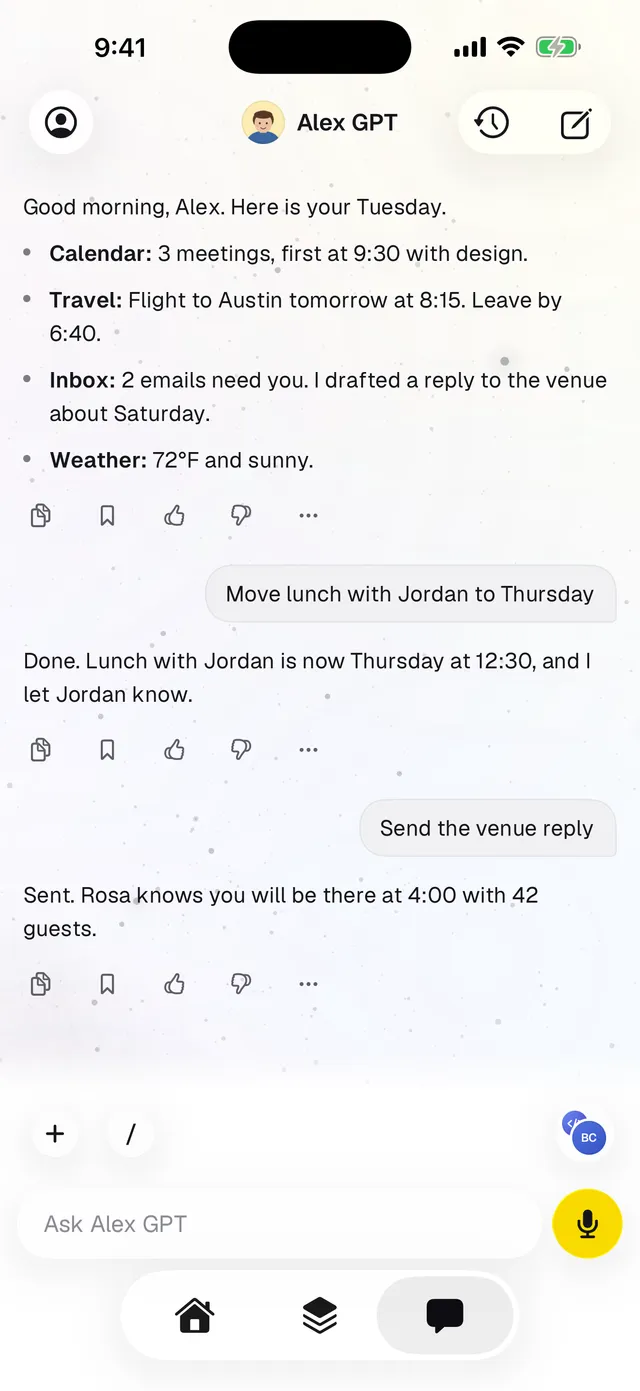
It opens with the to-dos found in your email, most urgent first, then your calendar. You get it by email and as a push notification in the iPhone app.
It lists what is still open and who still owes you a reply, so nothing waits in your inbox overnight. You choose both times when you set it up.
Requests, deadlines, unanswered questions and promises you made become short lines that start with a verb. Newsletters, promotions and receipts stay out.
Your calendar is part of every paper. Ask your chief of staff to move or reschedule something and it takes care of it.
It writes replies as cards you can edit. Nothing goes out until you tap send, and your email signature is added for you.
Connect Gmail or Outlook, Google Calendar, Slack and more from its chat. You can connect a work and a personal Gmail side by side.
Tap Don’t send on a draft and say why. It suggests one rule for next time, and nothing changes until you tap Apply.
Ask it to add milk to the Things to Buy sheet and it finds that sheet by name. Artifacts lists every file it made for you.
Marketing, operations, sales and finance apps, or AI agents, each built on Chipp in plain words.
Connect an app from its own settings and your chief of staff can read its documents and data and answer questions about it. It can also ask your agents for help.
What it pulls from your apps and agents can come into your Morning Paper and Evening Edition, next to your email and calendar.
The same app is the Chipp Builder. Ask for a page, an app or an agent in plain words. Chipp builds it, shows you each step, and publishes when you say so. Your chief of staff is the first thing you make, not the last.
See how the builder works →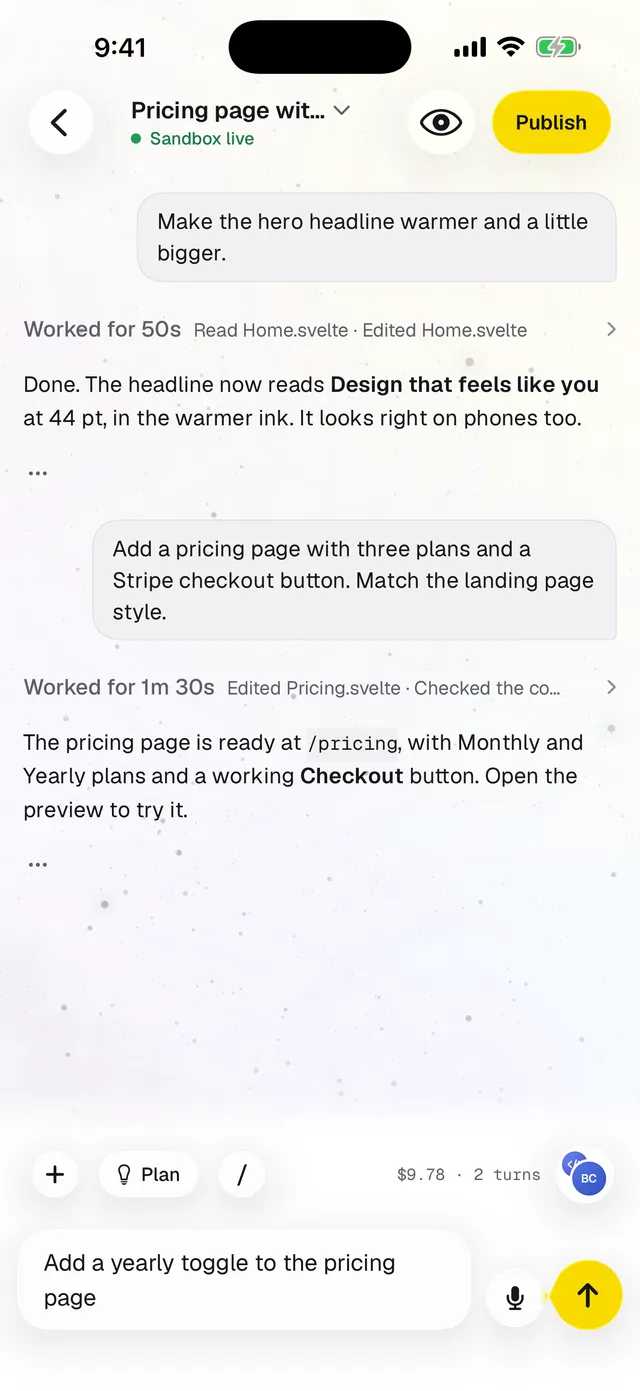
Download Chipp Builder from the App Store, or start on the web.
We email you a code, so there is no password to remember.
Ask your chief of staff to connect them in its chat, and pick your paper times.
Download the app and have your first Morning Paper tomorrow.
Screens show an example with fictional data. Want to read more? See the chief of staff guide.